Claude Code Notifications That Don't Suck
How to get useful macOS notifications from Claude Code with proper icons, repository context, and workspace information using hooks and terminal-notifier.
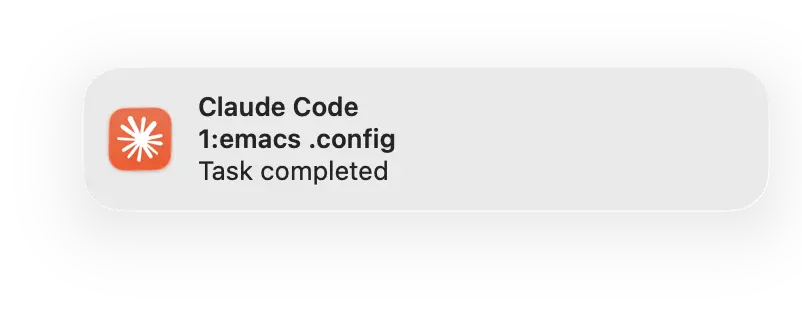
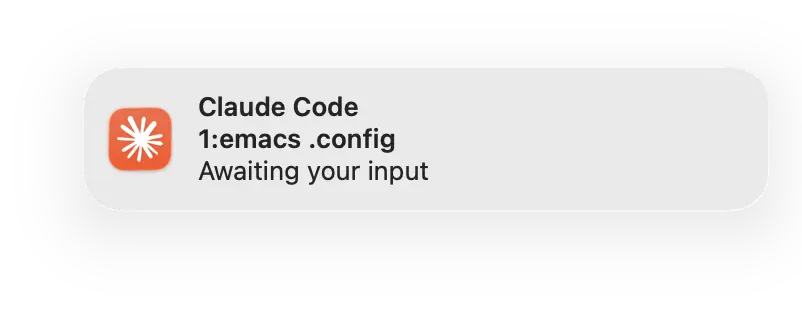
Claude Code has a hooks system - run arbitrary commands when things happen. One obvious use: notifications when tasks complete, so you can context-switch away without constantly checking the terminal.
The default approach - osascript to display a notification - works, but the result is underwhelming. You get Script Editor's icon (a scroll with a hammer, because nothing says "AI assistant" like medieval stationery), no context about which project or workspace fired it, and if you're running multiple Claude sessions, good luck figuring out which one wants your attention.
I wanted something better.
#1The Goal
A notification that tells me:
- Which workspace (yabai space) the Claude session is in
- Which repository I'm working on
- What actually happened (task completed, input needed, etc.)
- An icon I recognise - Claude's, not Script Editor's
The end result:
┌──────────────────────────────────┐
│ [Claude Icon]                    │
│ Claude Code                      │
│ 1:emacs .config                  │
│ Task completed                   │
└──────────────────────────────────┘
The subtitle shows 1:emacs (space 1, labeled "emacs") and .config (the repository name). Enough context to know exactly which session finished.
#1Setting Up the Hook
Claude Code hooks are configured in ~/.config/claude/settings.json. Here's the relevant section:
{
  "hooks": {
    "Notification": [
      {
        "matcher": "*",
        "hooks": [
          {
            "type": "command",
            "command": "~/.config/claude/notify.sh 'Awaiting your input' && afplay /System/Library/Sounds/Glass.aiff"
          }
        ]
      }
    ],
    "Stop": [
      {
        "hooks": [
          {
            "type": "command",
            "command": "~/.config/claude/notify.sh 'Task completed' && afplay /System/Library/Sounds/Hero.aiff"
          }
        ]
      }
    ]
  }
}
Two hooks: one fires when Claude needs input (Notification), another when a task finishes (Stop). Both call a notification script and play a sound. The sounds are optional but useful - different tones for "come back" versus "done."
#1The Notification Script
The script does three things: detect the workspace, find the repository name, and send a notification with the right icon.
#2Getting the Workspace
I use yabai to manage workspaces on macOS. Each space has an index and an optional label. The script walks up the process tree to find the terminal running Claude, then queries yabai for that window's space:
if command -v yabai &> /dev/null; then
    # Walk up process tree to find terminal app
    term_pid=$$
    while [ "$term_pid" -gt 1 ]; do
        parent_pid=$(ps -o ppid= -p "$term_pid" 2>/dev/null | tr -d ' ')
        [ -z "$parent_pid" ] && break
        parent_name=$(ps -o comm= -p "$parent_pid" 2>/dev/null)
        if [[ "$parent_name" =~ (Terminal|iTerm|Alacritty|kitty|WezTerm|Ghostty) ]]; then
            term_pid=$parent_pid
            break
        fi
        term_pid=$parent_pid
    done

    # Query yabai for window's space
    win_json=$(yabai -m query --windows 2>/dev/null | \
               jq --arg pid "$term_pid" '[.[] | select(.pid == ($pid | tonumber))] | .[0] // empty')

    if [ -n "$win_json" ] && [ "$win_json" != "null" ]; then
        space_idx=$(echo "$win_json" | jq -r '.space')
        space_label=$(yabai -m query --spaces 2>/dev/null | \
                      jq -r --arg idx "$space_idx" '.[] | select(.index == ($idx | tonumber)) | .label // empty')
        if [ -n "$space_label" ]; then
            space_info="${space_idx}:${space_label}"
        else
            space_info="space ${space_idx}"
        fi
    fi
fi
This gives us something like 1:emacs or 3:web depending on your space configuration.
#2Getting the Repository Name
Simple git query:
if git rev-parse --is-inside-work-tree &>/dev/null; then
    repo_root=$(git rev-parse --show-toplevel 2>/dev/null)
    if [ -n "$repo_root" ]; then
        repo_name=$(basename "$repo_root")
    fi
fi
#2The Icon Problem
The obvious approach:
osascript -e 'display notification "Task completed" with title "Claude Code"'
This works, but the notification icon is Script Editor's - because osascript is what's sending the notification, and macOS uses the sender's icon.
You might try terminal-notifier with its -appIcon flag:
terminal-notifier -title "Claude Code" -message "Task completed" \
  -appIcon "/Applications/Claude.app/Contents/Resources/electron.icns"
This also doesn't work on modern macOS. Since Big Sur, the system ignores custom icons and uses the sender application's icon instead.
The solution is the -sender flag, which spoofs the bundle identifier:
terminal-notifier -title "Claude Code" -message "Task completed" \
  -sender com.anthropic.claudefordesktop
This requires Claude.app to be installed - macOS looks up the bundle identifier to find the app and its icon. No app, no icon.
You can find any app's bundle identifier with:
defaults read /Applications/Claude.app/Contents/Info.plist CFBundleIdentifier
Now notifications appear with Claude's icon.
#2One Gotcha: Brackets
I initially formatted the space info as [1:emacs]. The notification would send, but the subtitle wouldn't display. No error, just… missing.
Removing the brackets fixed it:
# This subtitle disappears:
terminal-notifier -subtitle "[1:emacs] .config" ...

# This works:
terminal-notifier -subtitle "1:emacs .config" ...
I didn't investigate why - probably some escaping issue in how terminal-notifier passes arguments to the notification system. The brackets weren't essential anyway.
#1The Complete Script
#!/bin/bash

space_info=""
repo_name=""

# Get git repository name
if git rev-parse --is-inside-work-tree &>/dev/null; then
    repo_root=$(git rev-parse --show-toplevel 2>/dev/null)
    if [ -n "$repo_root" ]; then
        repo_name=$(basename "$repo_root")
    fi
fi

# Get workspace info from yabai
if command -v yabai &> /dev/null; then
    term_pid=$$
    while [ "$term_pid" -gt 1 ]; do
        parent_pid=$(ps -o ppid= -p "$term_pid" 2>/dev/null | tr -d ' ')
        [ -z "$parent_pid" ] && break
        parent_name=$(ps -o comm= -p "$parent_pid" 2>/dev/null)
        if [[ "$parent_name" =~ (Terminal|iTerm|Alacritty|kitty|WezTerm|Ghostty) ]]; then
            term_pid=$parent_pid
            break
        fi
        term_pid=$parent_pid
    done

    win_json=$(yabai -m query --windows 2>/dev/null | \
               jq --arg pid "$term_pid" '[.[] | select(.pid == ($pid | tonumber))] | .[0] // empty')

    if [ -n "$win_json" ] && [ "$win_json" != "null" ]; then
        space_idx=$(echo "$win_json" | jq -r '.space')
        if [ -n "$space_idx" ] && [ "$space_idx" != "null" ]; then
            space_label=$(yabai -m query --spaces 2>/dev/null | \
                          jq -r --arg idx "$space_idx" '.[] | select(.index == ($idx | tonumber)) | .label // empty')
            if [ -n "$space_label" ]; then
                space_info="${space_idx}:${space_label}"
            else
                space_info="space ${space_idx}"
            fi
        fi
    fi
fi

# Build subtitle from space and repo
subtitle=""
if [ -n "$space_info" ]; then
    subtitle="$space_info"
fi
if [ -n "$repo_name" ]; then
    if [ -n "$subtitle" ]; then
        subtitle="${subtitle} ${repo_name}"
    else
        subtitle="$repo_name"
    fi
fi

# Send notification
message="$1"

if command -v terminal-notifier &>/dev/null; then
    if [ -n "$subtitle" ]; then
        terminal-notifier -title "Claude Code" -subtitle "$subtitle" \
          -message "$message" -sender com.anthropic.claudefordesktop
    else
        terminal-notifier -title "Claude Code" -message "$message" \
          -sender com.anthropic.claudefordesktop
    fi
else
    # Fallback to osascript (ugly icon, but works)
    if [ -n "$subtitle" ]; then
        osascript -e "display notification \"${message}\" with title \"Claude Code\" subtitle \"${subtitle}\""
    else
        osascript -e "display notification \"${message}\" with title \"Claude Code\""
    fi
fi
#1Requirements
- terminal-notifier -
brew install terminal-notifier - yabai - only needed for workspace detection, script works without it
- jq - for parsing yabai's JSON output
- Claude.app installed - for the bundle identifier to work
After installing terminal-notifier, you'll need to allow notifications for it in System Settings → Notifications.
#1Conclusion
Small thing, but it adds up. When running multiple Claude sessions across different projects and workspaces, knowing which one finished without switching contexts is genuinely useful.
The hooks system in Claude Code is flexible enough to do much more - logging, integration with other tools, custom sounds per project. This is just the obvious first step.
The notification script lives in my dotfiles repository alongside the rest of my Claude Code configuration.