Task management with org-roam Vol. 3: FILETAGS
Managing person-related tasks in org-roam using filetags to automatically tag all tasks (like @FrodoBaggins), maintaining tag inheritance whilst moving to individual notes.
Change Log
- [2025-11]: This series was written for vulpea v1 with org-roam. See Vulpea v2: breaking up with org-roam for context on vulpea v2, which no longer depends on org-roam. Updated guides are coming.
In the previous articles (Vol. 1 and Vol. 2), we walked the path to org-roam and solved the issue with clutter in the category column of the agenda. Today we're going to explore meta projects dedicated to a specific person, tag inheritance, and moving such projects to separate org-roam files. As a result, we'll have code for automatic tagging based on the title.
Aside from regular meta projects (like a personal blog), I also create meta projects for people and locations. This is helpful because some tasks are really related to someone specifically. For example, when I need to return a borrowed book, I just create a task for it.
* Frodo Baggins                                               :@FrodoBaggins:

** TODO Return 'The Lord of the Rings' book

** TODO Farewell party                                             :PROJECT:

It feels like Mr. Frodo is about to live Shire. So we are going to setup a
farewell party for him.

*** TODO Talk to Samwise Gamgee                            :@SamwiseGamgee:

*** TODO Talk to Meriadoc Brandybuck                  :@MeriadocBrandybuck:

*** TODO Talk to Peregrin Took                              :@PeregrinTook:

*** TODO Tie a pair of wool socks

I am not sure where he is going, so a pair of warm wool socks should be good.
At least they can be used to protect bottles of wine during journey. That is in
case Frodo doesn't wear socks. But how could it be? Everyone does!
Change Log:
[2021-01-24 Sun]: Since some of the functionality mentioned in the original article was merged toorg-roam, all code is updated to reflect the current state of affairs.[2021-03-02 Tue]: Update naming convention to match personal configurations.[2021-05-10 Mon]: Update post to reflect changes in org-roam v2. Previous version of this article is available on GitHub.
Related posts
Now, apart from some misconception about hobbits, there are few important points to note.
- Due to tags inheritance, all of the subheadings of
Frodo Bagginshave@FrodoBagginstag. - Tasks tagged with other people also have the
@FrodoBagginstag.
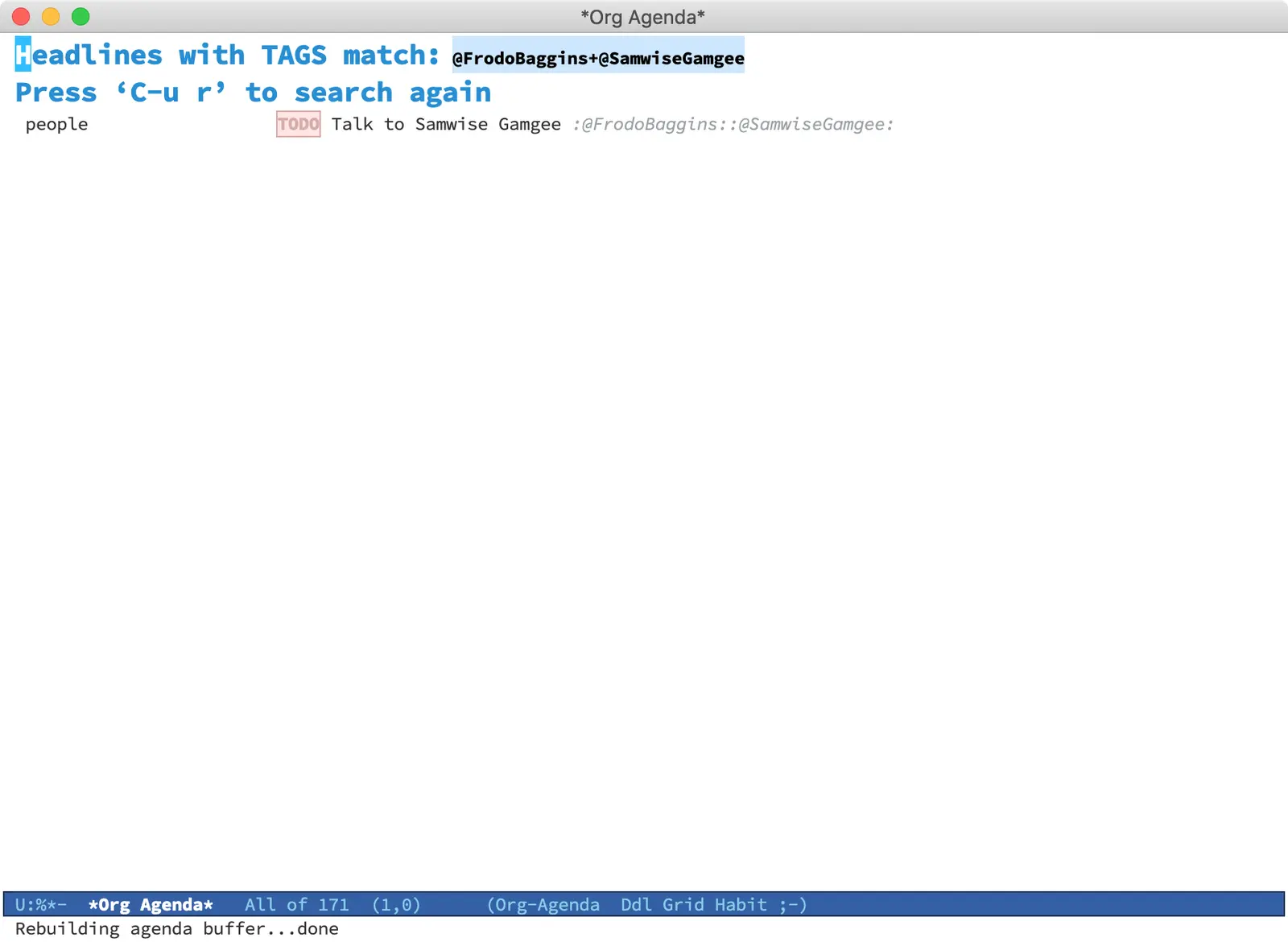
Thanks to inheritance, it's easy to find all tasks related to Frodo Baggins via org-agenda. It even enables the search of overlapping tasks. For example, tasks related to Frodo and Samwise. For more information, take a look at the matching tags and properties section of the manual.
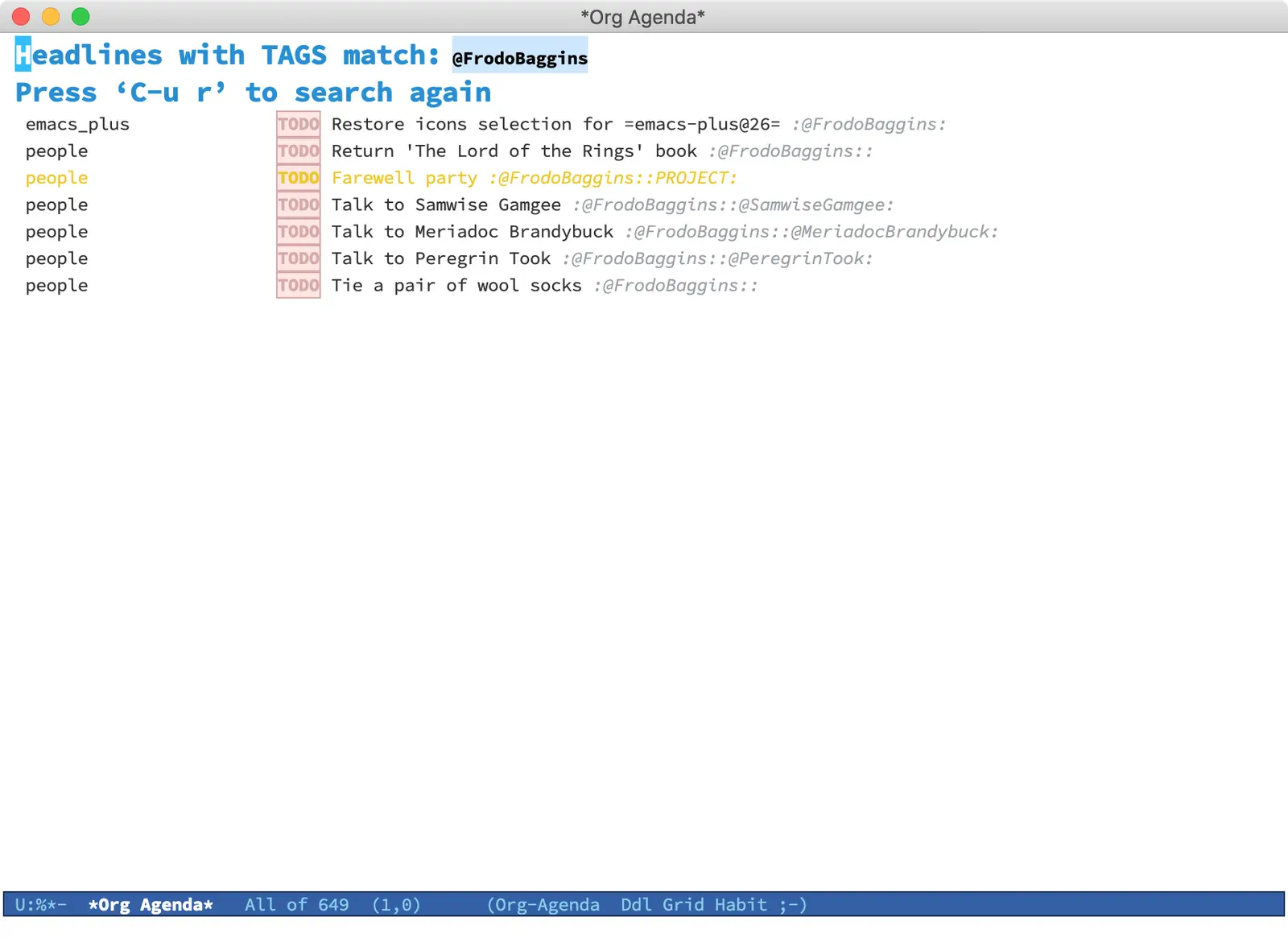
With org-roam, each person has its own file.
#+title: Frodo Baggins
#+filetags: @FrodoBaggins people

* Tasks
** TODO Return 'The Lord of the Rings' book

** TODO Farewell party                                             :PROJECT:

It feels like Mr. Frodo is about to live Shire. So we are going to setup a
farewell party for him.

*** TODO Talk to Samwise Gamgee                            :@SamwiseGamgee:

*** TODO Talk to Meriadoc Brandybuck                  :@MeriadocBrandybuck:

*** TODO Talk to Peregrin Took                              :@PeregrinTook:

*** TODO Tie a pair of wool socks

I am not sure where he is going, so a pair of warm wool socks should be good.
At least they can be used to protect bottles of wine during journey. That is in
case Frodo doesn't wear socks. But how could it be? Everyone does!
In order to maintain the feature where @FrodoBaggins tag is applied to all TODO items we have to use filetags property. I am also using id to mark Frodo Baggins as a person (even though he is a hobbit!). This helps me in two ways. First of all, it gives me clear understanding that this entity is a person (some people do have strange names). Secondly, it serves me in automation and filtering (as example, checkout Select a person and view related tasks post).
Now, when I see a headline with title and tag being literally the same (with few programmable exceptions) or the file with title and filetags being the same (with few programmable exceptions), I am feeling nervous. Especially since I am prone to mistakes.
So what I do - I automate filetags. I have a function vulpea-ensure-filetag which automatically sets the filetags buffer property for org-roam entries tagged as people. It uses vulpea-buffer-tags-get and vulpea-buffer-tags-add from vulpea library.
(defun vulpea-ensure-filetag ()
  "Add respective file tag if it's missing in the current note."
  (interactive)
  (let ((tags (vulpea-buffer-tags-get))
        (tag (vulpea--title-as-tag)))
    (when (and (seq-contains-p tags "people")
               (not (seq-contains-p tags tag)))
      (vulpea-buffer-tags-add tag))))

(defun vulpea--title-as-tag ()
  "Return title of the current note as tag."
  (vulpea--title-to-tag (vulpea-buffer-title-get)))

(defun vulpea--title-to-tag (title)
  "Convert TITLE to tag."
  (concat "@" (s-replace " " "" title)))
This function can be called interactively, but since I usually place the tag using vulpea-tags-add, I just add the vulpea-ensure-filetag to the end of that function.
(defun vulpea-tags-add ()
  "Add a tag to current note."
  (interactive)
  ;; since https://github.com/org-roam/org-roam/pull/1515
  ;; `org-roam-tag-add' returns added tag, we could avoid reading tags
  ;; in `vulpea-ensure-filetag', but this way it can be used in
  ;; different contexts while having simple implementation.
  (when (call-interactively #'org-roam-tag-add)
    (vulpea-ensure-filetag)))
Though for other purposes one can put this function to the file visit hook. But hooks are sensitive, so I am going to stop here.
In the next article we are going to talk about automatic insertion of person tag (e.g. @FrodoBaggins) when mentioning this person in other task.
#1References
org-roamdocumentation on GitHub.org-modedocumentation on the official site.- Org-roam tags post.
- personal configurations on GitHub.